Anatomy 3D Atlas
Catfish Animation StudioMedical
4.4260.00 Reviews
- Version
- 7.2
- Installs
- 5.00M
- Age Rating
- Everyone
Screenshots
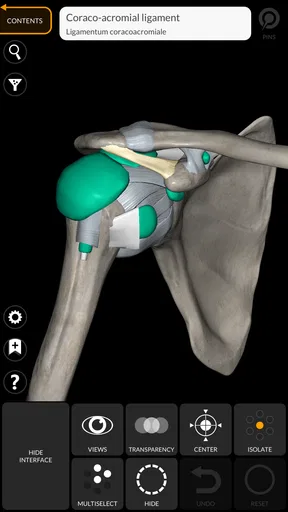
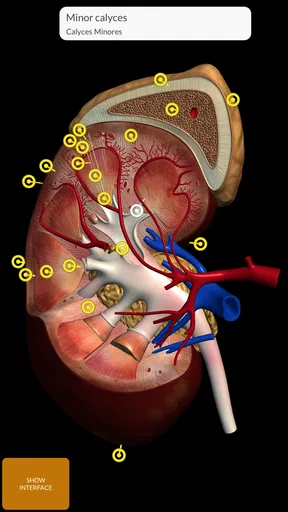
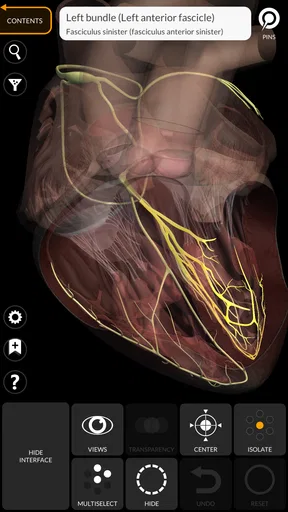
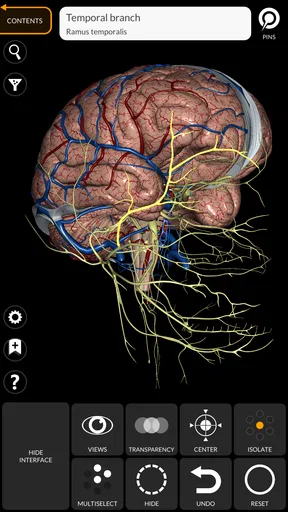
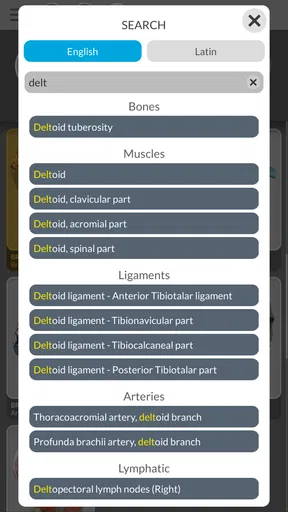
Our Review of Anatomy 3D Atlas
 Analysis by Appyee
My take is that Anatomy 3D Atlas is most useful when you want to understand where a structure sits in relation to the rest of the body, not when you need a complete course in anatomy. Its 3D views make spatial relationships easier to explore than a flat diagram, while the app’s breadth can make a short study session more purposeful. I’d recommend it to curious learners and students who want a visual companion, with one important caveat: a model can clarify shape and position, but it is not a substitute for a teacher, a medical reference, or careful study.
Where the 3D view earns its place
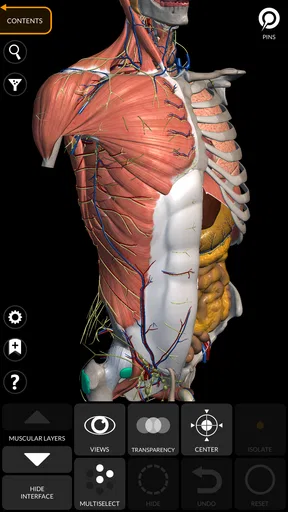
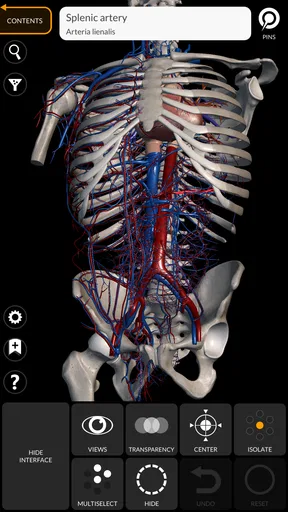
The central strength is the ability to rotate and zoom in on anatomical models rather than relying on a fixed illustration. That changes the kind of question I can ask: not only “what is this structure?” but also “what lies behind it?” or “how does it connect to what I can already see?” Those are practical questions when a textbook image feels too abstract. Being able to isolate a system or structure also helps me keep a crowded view manageable instead of trying to interpret every layer at once.
A useful way to study is to begin with a broad view, isolate one system, and then zoom in only after I can describe its general position. I’d then bring the surrounding anatomy back into view and check whether I can still identify the structure in context. This small change in workflow matters: studying an isolated model can make it look self-contained, while restoring neighboring structures tests whether I understand how it fits into the body. The app works best as a visual aid for that kind of active recall, rather than as a screen to browse passively.
Useful for study, but not a shortcut
For a student, the app can make a focused review session feel less like memorizing a page of labels. I might open it after class to revisit a system I found difficult, use the model to orient myself, and then return to notes or a course resource for terminology and detail. The quizzes and challenges described in the app can add a check on recall, but I would treat them as practice, not proof that I have mastered a topic. A correct answer is more useful when I can explain the relationship behind it, not just recognize a label.
It can also suit someone who is simply curious about the body and wants to explore without following a formal syllabus. The practical distinction is that learners with an assigned curriculum may need to match the app’s views to their class materials, while casual users can follow their curiosity more freely. In either case, I’d avoid treating a polished 3D model as a clinical guide: if I were trying to understand a symptom or make a health decision, I would turn to a qualified professional rather than infer anything from an anatomy visualisation.
What to keep in mind before relying on it
The visual richness has a trade-off. A detailed model can feel authoritative, but anatomy is not automatically easy to learn just because it is rendered in 3D. New users may spend time rotating a model without building a useful mental map; students can also get lost in detail before they have learned the larger structure. I find it helps to set one question before opening the app, such as locating a structure or tracing its position relative to a neighboring system, and to stop once I can answer it in my own words.
The app is free to download, with in-app purchases priced from $14.99 to $39.99 per item, so I would explore the available material first and decide whether an upgrade fits my needs rather than assume every part is included. That is especially sensible if I only want occasional reference or a visual introduction. On the other hand, someone using anatomy regularly for coursework may find a paid option worthwhile if it gives access to material they will genuinely use. The app is rated for Everyone, but the subject matter may still be more useful to older learners with a specific reason to study it.
How it compares with familiar study tools
Compared with a printed atlas or a standard set of diagrams, this app’s main advantage is interaction: I can change the viewing angle and focus on selected structures instead of accepting one fixed perspective. A book can still be better for a carefully organized lesson, clear page-by-page progression, and side-by-side comparison with written explanations. A classroom or course resource is better when I need an instructor to correct misunderstandings or explain what matters for an exam. I see the app as a complement to those tools, not a replacement for them.
Against other anatomy apps, the choice comes down to what kind of learning I want. If my priority is exploring three-dimensional relationships, Anatomy 3D Atlas has a clear appeal. If I need a structured curriculum, extensive clinical context, or a guided path through a topic, I would compare it with resources designed around those needs before relying on it as my main study tool. Its interactive format is strongest when I arrive with a question; it is less convincing as a complete plan for learning anatomy from the beginning.
Exploring the Features
When you first open Anatomy 3D Atlas, you're greeted with an intuitive and visually appealing interface. The app is designed to provide detailed 3D models of the human anatomy, which you can rotate, zoom, and explore to your heart's content. It's like having an interactive textbook right in your pocket!
One of the standout features is the ability to isolate specific body systems or structures. Whether you're interested in the skeletal system, muscular system, or even the intricate network of nerves, this app has got you covered. The level of detail is impressive, and it’s a fantastic resource for students, healthcare professionals, or just anyone with a keen interest in anatomy.
Ease of Use
Now, let's talk about usability. Navigating through the app is a breeze. Everything is just a tap away, and the smooth transitions between different views make for a seamless experience. I’ve used other anatomy apps before, but this one really nails the balance between detail and user-friendliness.
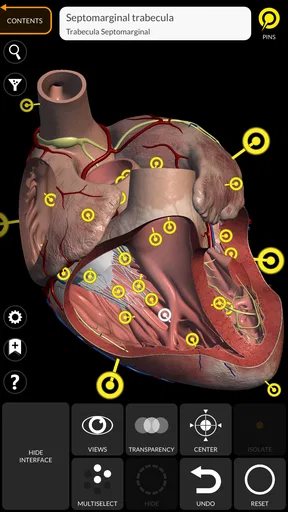
Language options are abundant, which is a nice touch if English isn't your first language. Plus, there are handy labels and descriptions accompanying each model, making it easier to understand the complex structures you're looking at.
Engaging Learning Experience
What I love most about Anatomy 3D Atlas is how it makes learning engaging. The app includes interactive quizzes and challenges that test your knowledge in a fun way. It's not just about looking at models; it's about understanding and retaining information. This feature alone makes it a great educational tool.
Moreover, the app frequently updates with new content, ensuring that users always have access to the latest in anatomical knowledge. It’s like having a constantly evolving library of human anatomy right at your fingertips.
Compatibility and Performance
An important aspect to consider is how well the app performs on different devices. I tested it on both Android and iOS, and I'm happy to report that it runs smoothly on both platforms. There are no annoying lags or crashes, which is crucial for an app that requires a lot of processing power to render detailed 3D models.
The developers have done a fantastic job optimizing the app for various screen sizes, so whether you're using a smartphone or a tablet, the experience remains consistent. The rich graphics are clear and crisp, making it easy to see even the tiniest details of each anatomical structure.
Final Thoughts
All in all, Anatomy 3D Atlas is a must-have for anyone interested in the human body. Its combination of detailed 3D models, interactive learning tools, and smooth performance make it a standout choice in the world of educational apps. Whether you're a student, a professional, or just a curious mind, this app provides a comprehensive and engaging way to learn about anatomy.
So, if you’re ready to explore the fascinating world within us, give Anatomy 3D Atlas a try. It’s a journey through the human body that you won’t want to miss. Happy exploring!
A practical fit for short study sessions
One everyday use I can picture is a student reviewing before a lab or lecture. Rather than rereading an entire chapter, I’d open the relevant system, orient myself with the overall model, and use the labels to check a few terms that are easy to confuse. Then I’d close the app and try to sketch or explain the relationships from memory. That last step is important: the screen makes recognition easy, but recalling the structure without it is a better test of whether the session helped.
For a healthcare professional, it may be handy as a quick visual refresher when a spatial relationship is easier to show than describe. I would still keep the intended use modest: it is an educational reference, not a patient-specific tool or a basis for diagnosis. If I were explaining anatomy to someone else, I’d also keep the language simple and confirm that the model answers the question at hand rather than assuming a detailed view will automatically make the explanation clearer.
Choosing it for the right reason
The app is made by Catfish Animation Studio and has an average rating of 4.1 from around 21,000 ratings, with more than 5 million installs. Those figures suggest that it has reached a broad audience, but they do not tell me whether it matches a particular course or learning style. I’d judge it by trying a real task: can I find the structure I need, understand the labels, and use the view to answer a question I could not answer as easily from a flat image?
It is free, rated for Everyone, and its current version is 7.0.6; the app was released on September 8, 2015. It supports devices running version 8.0 or later. For someone deciding whether to install it, the practical point is to check that the device meets that requirement and then explore the free experience before spending on any optional content. The audience rating describes suitability, not educational depth, so it should not be mistaken for a promise that the app is designed specifically for young children.
Small habits that make exploration more useful
I get more from an interactive anatomy model when I use a repeatable sequence: start wide, select one system, identify a structure, and then bring the surrounding view back to test orientation. If I keep turning the model without a question, the interaction can become a distraction. A short written note after each session—what I located and what still confuses me—can turn an appealing visual exploration into a more deliberate study routine.
Another useful habit is to compare the app’s view with a class diagram or textbook illustration, especially when preparing for an assessment. The difference in perspective can reveal why a flat drawing looked confusing, but it can also make it harder to match labels if the materials organize a topic differently. I would use the app to clarify spatial layout and use my course source for required terminology and exam emphasis. That division of labor keeps the 3D view helpful without expecting it to do every job.
Who may prefer another approach
I would skip this as a primary learning tool if I needed a step-by-step anatomy course, extensive explanations of function, or guidance tailored to a specific medical question. A conventional textbook or instructor-led course gives more structure; a clinician is the right person for personal health concerns. It may also be a poor fit for someone who prefers learning only through text, or who finds navigating a model more distracting than reading a labelled diagram.
For everyone else, the strongest reason to try it is specific: you want to see how body structures occupy space and relate to one another. The medical-app category includes many kinds of tools, but this one is best judged as an interactive visual atlas rather than a broad health companion. That distinction helps set realistic expectations before the first session and makes it easier to tell whether its particular strength is useful to you.
A measured recommendation
My recommendation is to treat the app as a visual study partner: useful for orientation, exploration, and quick recall practice, but not a replacement for organized teaching or clinical advice. I’d start with one topic I already find difficult, try the free material, and decide whether the model makes that topic clearer before considering an in-app purchase. That gives the app a fair test without assuming that more detail always means better learning.
The app’s overall appeal is straightforward: it gives the curious learner a hands-on way to inspect anatomy, with system isolation, labels, and interactive practice supporting that exploration. Its limits are just as worth remembering: detail can overwhelm, an atlas does not teach every concept in sequence, and visual familiarity is not the same as mastery. If those boundaries suit your needs, I think it is a worthwhile addition to a study routine; if you need a full course or medical guidance, another resource should lead instead.
Verdict
Strengths of Anatomy 3D Atlas
- Detailed 3D models enhance learning.
- User-friendly interface for easy navigation.
- Regular updates with new features.
- Offline access available for convenience.
- Interactive quizzes for self-assessment.
Limitations of Anatomy 3D Atlas
- Limited free content; requires purchase.
- Requires large storage space.
- Some models may load slowly.
- Occasional app crashes reported.
- Lacks integration with external resources.
Similar Picks in This Category
View All
WebMD: Symptom Checker
WebMD, LLC4.1

Microphone Amplifier
DOSA Apps4.2

Anatomy Learning - 3D Anatomy
3D Medical OU4.5

Period Tracker and Calendar
SimpleInnovation4.9

GoodRx: Prescription Coupons
GoodRx4.8

CVS Health
CVS Pharmacy4.5
Frequently Asked Questions
What is Anatomy 3D Atlas?
Anatomy 3D Atlas is an educational application designed to help users explore and understand human anatomy through interactive 3D models. It allows users to rotate and zoom in on different body parts, providing a detailed view of muscles, bones, organs, and more. Ideal for students, educators, and medical professionals.
Is Anatomy 3D Atlas suitable for beginners?
Yes, Anatomy 3D Atlas is suitable for both beginners and advanced users. The app provides comprehensive details and intuitive controls, making it accessible for those new to anatomy while still offering in-depth information for more experienced learners. It’s a versatile tool for varying levels of expertise.
Does Anatomy 3D Atlas require an internet connection?
Anatomy 3D Atlas typically does not require an internet connection for accessing the basic 3D models once downloaded. However, for accessing additional content, updates, or certain features, an internet connection may be necessary. Always check the app’s requirements for specific offline capabilities.
What devices are compatible with Anatomy 3D Atlas?
Anatomy 3D Atlas is compatible with most Android and iOS devices. Ensure your device meets the app’s minimum system requirements for optimal performance. Regular updates may also require additional storage space, so check compatibility on the app's download page before installing.
Are there any in-app purchases in Anatomy 3D Atlas?
Yes, Anatomy 3D Atlas may offer in-app purchases to unlock additional features, models, or content. While the basic version provides substantial information, these purchases can enhance the learning experience with more detailed anatomy sections or advanced tools. Review the in-app options before purchasing.
